.jpg)
We have all experienced the frustration: you look down at your phone midday, and your battery icon is already blinking red. It feels like you just unplugged it a few hours ago.A fast-draining battery is rarely caused by a single rogue app. Instead, it is usually the result of several hidden settings, habits, and hardware factors working together to deplete your power. Here is a breakdown of the five biggest culprits behind battery drain and the simple steps you can take to stop them.
1. The Screen: Maximum Brightness and High Refresh Rates
The display is consistently the single largest consumer of battery power on any modern smartphone.
The Culprit:
Keeping your screen at maximum brightness forces the display LEDs to consume massive amounts of energy. Furthermore, many modern phones feature 120Hz high refresh rates. While this makes scrolling look incredibly smooth, it forces the screen to redraw images twice as fast as older 60Hz displays, hammering your battery life.
The Fix:
Turn on Auto-Brightness (or Adaptive Brightness) so your phone automatically dims in low-light environments. If you are struggling to make it through the day, go into your display settings and lock the refresh rate to a standard 60Hz.
2. The Ghosts: Background App Refresh and Syncing
Just because you swiped an app away does not mean it stopped working.
The Culprit: Apps like social media platforms, news outlets, and email clients constantly run background processes. They fetch updates, sync files, and download data so that everything is ready the exact millisecond you open them. This quiet, continuous background activity ensures your phone never truly rests.
The Fix: Open your settings and look for Background App Refresh. Turn it off entirely, or restrict it only to essential communication apps like WhatsApp or Slack. Additionally, change your email sync settings from “Push” (instant) to “Fetch” (every 30 or 60 minutes).
3. The Search: Weak Mobile Signals
Your phone is constantly trying to maintain a perfect conversation with the nearest cellular tower.
The Culprit: When you are in an area with a weak cellular signal, your phone doesn’t give up. Instead, it boosts the power to its internal antennas to fight for a stable connection. This intense search for a signal generates internal heat and drains power at an alarming rate.
The Fix: Connect to a stable Wi-Fi network whenever you can; Wi-Fi radios require significantly less power than cellular radios. If you are traveling through a remote area with zero coverage, flip your phone into Airplane Mode to stop the battery hemorrhage.
4. The Tracker: Constant Location Services
Your phone is incredibly good at knowing exactly where you are, but that intelligence comes at a steep price.
The Culprit: The built-in GPS chip is one of the most power-hungry components in your device. Dozens of apps—ranging from maps and food delivery to retail and weather apps—unnecessarily track your precise coordinates in the background, even when your phone is locked
.The Fix: Review your privacy settings under Location Services. Change app permissions from “Always Allow” to “While Using the App.” If an app doesn’t genuinely need to know your location (like a mobile game or a calculator), revoke its location access entirely.
5. The Biology: Natural Battery Ageing
If your phone is more than two years old, the problem might not be your settings at all—it might be chemical physics.
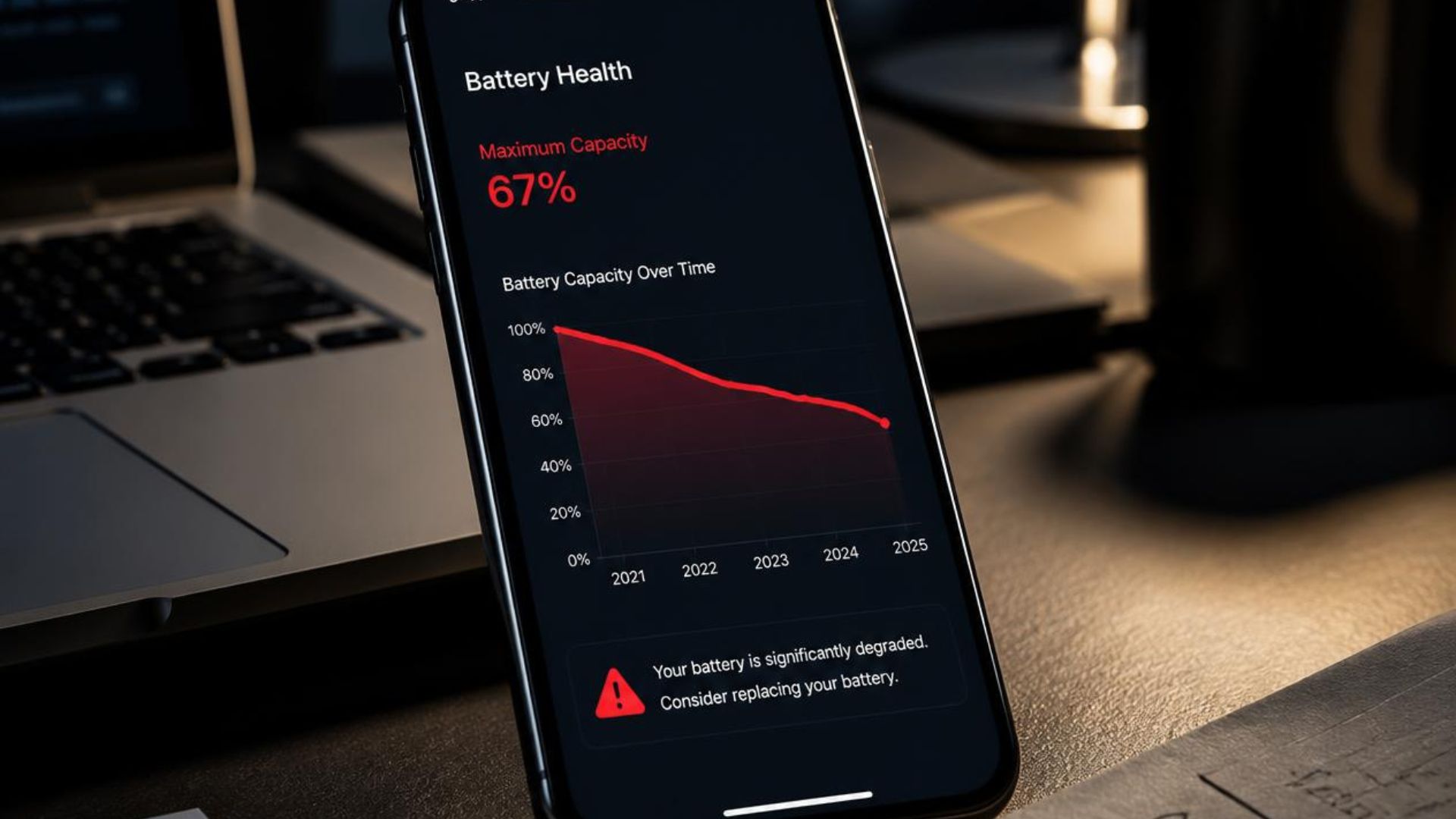
The Culprit: Smartphones use Lithium-ion batteries, which degrade over time. After roughly 300 to 500 full charge cycles, a battery’s maximum capacity naturally drops to around 80%. At this stage, the battery physically cannot hold as much electrical charge as it did the day you unboxed it
.The Fix: Check your battery health metrics in your settings menu (e.g., Battery Health on an iPhone or Device Care on a Samsung). If your maximum capacity has dipped below 80%, you don’t need a new phone—you just need a professional, inexpensive battery replacement.
Verdict
You don’t need to turn your smartphone into a boring, black-and-white brick to save power. By making just two or three small adjustments—like managing location tracking and enabling auto-brightness—you can easily reclaim hours of daily battery life.